
Your support team answers the same order-status question forty times a day. Bulk messaging can absorb that repetition, but only if you send it without tripping WhatsApp's opt-in rules or burning your sender reputation.
This guide shows you how to choose between WhatsApp, Messenger, and Instagram DM for support broadcasts, build a first workflow with audience segments and templates for order updates and outage alerts, and set timing and frequency that protect deliverability. You will also learn which metrics matter and how Com.bot fits into that workflow.
What Bulk Messaging Means for Customer Support Teams
Bulk messaging enables support teams to send a single message to thousands of customers simultaneously, but its real value lies in proactive communication that reduces inbound ticket volume. Instead of waiting for customers to report a problem, the team reaches out first with the information people need.
This separates support broadcasting from marketing blasts. A promotional campaign aims to drive revenue. A support broadcast aims to resolve or prevent issues before they generate tickets, refunds, or angry replies.
Support teams typically use bulk messaging for three job types:
- Incident alerts: notifying affected users about outages, degraded performance, or security events
- Order updates: shipping delays, delivery windows, and fulfillment exceptions
- Appointment reminders: upcoming service visits, renewals, or scheduled calls
Consider a payment processor whose gateway goes down on a Friday evening. Rather than fielding hundreds of "why did my charge fail" tickets, the team sends one incident alert to affected merchants with a status link and an estimated fix window. Inbound volume drops, and customers feel informed rather than ignored.
Order updates work the same way. A single broadcast about a delayed shipment can preempt a wave of "where is my order" contacts, freeing agents for complex cases that genuinely need a human.
Appointment reminders cut no-shows and the rescheduling back-and-forth that follows. Each reminder is a ticket that never gets created.
The measurable payoff shows up in first response time and average handle time. When routine questions are answered before they are asked, agents spend more time on high-value conversations, and CSAT tends to follow.
Bulk messaging also pairs well with an omnichannel help desk. A broadcast can go out over SMS, WhatsApp, or email, while replies route back into the same queue for two-way messaging and a clear escalation path to a live agent.
Bulk Messaging vs. Spam: Staying Compliant on WhatsApp
The line between helpful bulk messaging and spam comes down to consent, relevance, and timing, and WhatsApp enforces this with strict policies. The WhatsApp Business API requires opt-in consent before a business can initiate a conversation with a customer.
Consent must be explicit. A customer who simply shared a phone number at checkout has not necessarily agreed to receive messages. Best practice is a clear opt-in statement describing what messages they will receive and how often.
WhatsApp also applies a 24-hour customer service window. Once a customer messages you, you have 24 hours to reply freely. Outside that window, you must use pre-approved message templates, and those templates are categorized as utility, authentication, or marketing.
Support messages like incident alerts, order updates, and appointment reminders generally fall under utility or transactional messages. Promotional messages require separate, explicit marketing consent and are held to a higher standard.
Regulatory frameworks reinforce the same principle. TCPA compliance in the United States and GDPR in the European Union both require a lawful basis for contacting individuals, plus a simple way to withdraw consent.
To obtain and document consent properly:
- Use double opt-in: collect the number, then send a confirmation message the customer must reply to
- State the message purpose clearly at the point of collection
- Maintain a consent log recording the date, source, and exact wording shown
- Honor opt-outs immediately and suppress those numbers from future broadcasts
- Segment your contact list so marketing and support messages never blur together
Non-compliance carries real consequences. WhatsApp can restrict or ban a business number, and regulators can levy fines. A banned sender ID can take weeks to restore, and every customer waiting on an order update is left in silence.
Practical safeguards include rate limiting on outbound volume, monitoring delivery reports for spikes in blocks or reports, and keeping a clean CRM integration so consent status travels with each contact record.
Choosing the Right Channel for Support Broadcasts
Not all channels are equal for support broadcasts. WhatsApp, Messenger, and Instagram DM each have distinct strengths and limitations for delivering time-sensitive information. Picking the wrong one can hurt deliverability, frustrate customers, or create compliance exposure.
Channel choice shapes three things at once. First, deliverability: some platforms restrict how many messages you can send and when. Second, customer engagement: audiences respond differently depending on where they already spend their time. Third, compliance: each platform enforces its own consent and messaging rules.
Support teams often default to whichever channel is easiest to configure. That shortcut backfires when the audience lives elsewhere. A broadcast about a service outage reaches people faster on a channel they check constantly than on one they open once a day.
Message format matters too. Some channels only permit free-form replies inside a short customer service window, while others require pre-approved template messages for anything sent outside it. This affects how quickly you can push out incident alerts or order updates.
The next subsection compares the three channels side by side, covering reach, open rates, message types, and compliance requirements. That comparison gives support leads a practical basis for deciding where each type of broadcast belongs.
WhatsApp, Messenger, and Instagram DM Compared
WhatsApp leads in open rates and global reach, but Messenger and Instagram DM offer unique advantages for specific demographics and use cases. The table below summarizes the main differences.
| Factor | Messenger | Instagram DM | |
|---|---|---|---|
| Reach | Broadest international coverage, strong in Latin America, Europe, Africa, and Asia | Widely used in North America and parts of Europe, tied to Facebook accounts | Skews younger, strong in North America and Western Europe |
| Open rates | Generally the highest of the three | High, especially for community and page followers | High among active users, but volume is smaller |
| Message types | Template messages outside the service window, session messages inside it | Standard messages plus structured templates for some use cases | Session-based messaging, with limited template support |
| Compliance | WhatsApp Business API rules, opt-in consent, template approval, GDPR where applicable | Platform messaging policies, consent expectations, GDPR where applicable | Platform rules on promotional content, consent expectations, GDPR where applicable |
For transactional alerts such as order updates, appointment reminders, or verification codes, WhatsApp is usually the strongest fit. Its template system was built for exactly this kind of one-to-many notification, and delivery reports make it easier to confirm receipt.
Messenger suits community support. Teams running a Facebook page or group can answer questions where customers already gather, and two-way messaging feels natural in that context. Instagram DM works best for younger audiences who treat the inbox as a primary contact point, though promotional rules are stricter.
Response time expectations differ by channel as well. Customers on WhatsApp tend to expect fast replies, while Messenger and Instagram users often tolerate slightly longer waits. Regardless of channel, an escalation path to a live agent keeps first response time and CSAT from slipping when automated replies cannot resolve an issue.
A practical approach is to match each broadcast type to one primary channel. Send incident alerts and order updates on WhatsApp, route community questions to Messenger, and reserve Instagram DM for conversational support with younger customers. This keeps segmentation clean and reduces the risk of sending the same message everywhere.
Building Your First Bulk Messaging Workflow
A successful bulk messaging workflow starts with clean data, clear segmentation, and pre-approved templates that align with support goals. Before a single message goes out, the foundation has to be solid. Poor data quality leads to failed sends, wasted credits, and frustrated customers.
The workflow typically follows five stages. Each stage depends on the one before it, so skipping steps creates delivery problems later.
- Import contacts from your CRM, help desk, or contact list, ensuring every record has valid opt-in consent.
- Segment audiences by support scenario, region, product usage, or ticket history.
- Create templates that are pre-approved and personalized with variables.
- Schedule sends at times that match customer expectations and time zones.
- Monitor delivery reports and adjust for failures, opt-outs, or escalations.
CRM integration and API endpoints turn this from a manual process into an automated one. When your help desk or CRM connects to your messaging platform through an API endpoint or webhook, segments update automatically as customer data changes. A customer who places an order is added to an order update segment without anyone touching a spreadsheet.
Rate limiting and throughput matter more than most teams expect. SMS gateways and the WhatsApp Business API impose sending limits, and exceeding them can delay messages or trigger temporary blocks. Plan your broadcast volume against your provider's throughput capacity, and stagger large sends rather than pushing everything at once. You can also explore How Sportsbook Bonus Terms Limit Small-Team Bankrolls for a closer comparison.
Opt-in consent and regulatory compliance, including TCPA and GDPR, are non-negotiable at every stage. Keep consent records tied to each contact, and make opting out simple and immediate.
Segmenting Audiences for Support Scenarios
Segmenting your audience by support scenario, such as order status, outage notifications, or appointment reminders, ensures messages are relevant and timely. A single broadcast to your entire contact list rarely serves anyone well. Segmentation is what separates mass texting from meaningful customer support.
Useful segmentation criteria include:
- Purchase history: customers with pending orders, recent purchases, or subscription renewals.
- Location: users in a region affected by an outage or service disruption.
- Support ticket history: customers with open tickets or recent escalations.
- Product usage: active users, dormant accounts, or those nearing usage limits.
CRM data makes these segments dynamic. Instead of manually maintaining lists, you define rules and let the system update membership as conditions change. A customer with a pending order moves out of that segment the moment the order ships.
Tags and custom fields are the practical tools for this. Tags work well for broad categories like "outage-affected" or "high-value," while custom fields handle specifics like appointment dates or account tiers. Both feed directly into your segmentation logic.
Consider how segments map to your escalation path. A customer with an unresolved ticket may need a live agent follow-up rather than another automated reply. Segmentation should inform not just who receives a message, but what happens when they respond.
Templates for Order Updates, Outages, and Proactive Alerts
Pre-approved message templates speed up sending and ensure compliance, but they must be crafted to be clear, actionable, and on-brand. The WhatsApp Business API requires template approval before use, and rejected templates delay your entire workflow.
Here are practical template patterns for common support scenarios:
- Order update: "Hi {{name}}, your order #{{order_id}} has shipped. Track it here: {{tracking_link}}. Questions? Reply to this message."
- Outage alert: "Hi {{name}}, we're aware of a service disruption in {{region}}. Our team is working on it. We'll update you within {{timeframe}}."
- Proactive alert: "Hi {{name}}, your subscription renews in 3 days. No action needed unless you'd like to make changes."
Personalization variables like {{name}} and {{order_id}} make templates feel individual rather than broadcast. Keep the tone human. Write the way a helpful support agent would speak, not the way a legal disclaimer reads.
For WhatsApp template approval, submit clear, specific content that matches its stated purpose. Templates categorized as transactional messages generally move through review faster than promotional messages. Avoid vague placeholders that reviewers cannot interpret.
Every template should include a clear next step, whether that is a reply, a link, or simply no action required. When a customer responds, two-way messaging routes the reply to your help desk, where automated replies or a live agent can take over. This keeps first response time low and gives customers a real escalation path.
Timing, Frequency, and Deliverability Best Practices
Sending at the wrong time or too often can lead to unsubscribes and lower deliverability, so timing and frequency must be strategic. A support team that blasts every contact the moment a ticket closes will quickly train customers to ignore or block its number.
The goal is to make each bulk message feel timely and relevant. That means aligning sends with the recipient's working hours, capping how often you reach out, and watching delivery reports for early warning signs of trouble.
Timing and frequency are not just courtesy issues. They directly affect whether your messages land in an inbox or get filtered as unwanted traffic.
Send during business hours in the recipient's time zone. A proactive support update that arrives at 3 a.m. local time reads as intrusive, even when the content is helpful. Segment your contact list by region so that incident alerts, order updates, and appointment reminders go out when people are likely to see and act on them.
For urgent notifications such as password reset codes or verification codes, timing rules are looser. Transactional messages are expected whenever the customer triggers them, so send those immediately.
Apply a frequency cap. A common practice is no more than one proactive message per contact per day. Promotional broadcasts should be even less frequent unless the customer opted in for more.
- One proactive support message per day per contact, at most.
- Promotional messages kept well below that ceiling.
- Transactional messages exempt from the cap, since the customer initiated them.
- Quiet hours observed overnight and on local holidays where possible.
When several teams want to reach the same customer, route requests through a single queue. Without that coordination, a help desk update, a marketing broadcast, and a system alert can all land within an hour.
Monitor delivery reports closely. A delivery report shows whether each message reached the handset, was queued, or failed. Watch for spikes in failures, which often point to rate limiting by the SMS gateway or carrier.
Most gateways throttle throughput, sometimes to a set number of messages per second. If you exceed that limit, the excess gets queued or dropped. Adjust your sending speed to stay under the cap rather than retrying aggressively, which can make matters worse.
| Signal | Likely Cause | Adjustment |
|---|---|---|
| Rising failure rate | Rate limiting or carrier filtering | Slow the send rate, split the batch |
| High opt-out rate | Too frequent or poorly timed sends | Lower frequency, revisit timing |
| Low read or reply rate | Weak relevance or bad sender ID | Refine content and sender identity |
| Sudden blocks | Spam complaints | Audit consent and message wording |
Build a simple dashboard or automated alert that flags these shifts. Reviewing reports weekly, not just after a crisis, keeps small problems from becoming deliverability failures.
Warm up new phone numbers gradually. Carriers and gateways treat unfamiliar sender IDs with suspicion. Start with small daily volumes and increase over time as your reputation builds.
Keep message content clean. Avoid spammy language such as excessive capitalization, multiple exclamation marks, and words like "free" or "urgent" used purely for promotion. These trigger filters and erode trust.
Register a clear sender ID so recipients recognize who is contacting them. An unrecognized short code or number is a common reason people report messages as spam.
- Grow send volume slowly on any new number.
- Write plain, specific messages with a clear purpose.
- Include an easy way to opt out and honor it right away.
- Keep opt-in consent records for every contact on your list.
- Test new templates on a small segment before a full broadcast.
Consent and compliance underpin all of this. Rules such as TCPA compliance and GDPR require documented opt-in consent and a working opt-out path. Skipping these steps invites complaints that damage deliverability for every message you send.
Finally, treat deliverability as an ongoing practice, not a one-time setup. Review timing, frequency, and report trends together, since a change in one often explains a shift in another. A steady, respectful cadence keeps your bulk messaging useful and keeps your messages reaching the people who need them.
Measuring Impact: Metrics That Matter for Support Teams
To prove the value of bulk messaging, track metrics that directly tie to support efficiency and customer satisfaction. A broadcast that feels helpful but leaves response times unchanged is hard to defend at budget review. The numbers turn a gut feeling into a case you can repeat.
Start with a small set of measures and review them weekly. Consistency matters more than volume when you are building a baseline. Once you have a few weeks of clean data, patterns become visible and you can attribute shifts to specific campaigns.
The table below covers the core metrics, how to calculate each, and what a reasonable target looks like. Treat the benchmarks as directional, since your product, channel mix, and customer base will shape what is realistic.
| Metric | How to Calculate | Directional Benchmark |
|---|---|---|
| First response time | Average time from customer message to first agent reply | Under one hour for chat and messaging channels |
| Average handle time | Total talk, chat, and wrap time divided by tickets resolved | Trending down quarter over quarter |
| Ticket deflection rate | Self-served resolutions divided by total inbound contacts | Steady growth after automation launches |
| CSAT | Positive survey responses divided by total responses | Above 85 percent for most support teams |
| NPS | Promoter percentage minus detractor percentage | Positive and stable, with a rising trend |
| Opt-out rate | Unsubscribes divided by messages delivered | Under two percent per broadcast |
Keep the calculation method fixed once you choose it. Changing how you count a ticket mid-quarter makes every comparison unreliable. Document the formula in your help desk so new team members apply it the same way.
Bulk messaging moves these numbers in predictable ways. A well-timed broadcast about a known outage can absorb a wave of inbound contacts before they arrive, which lowers first response time without adding staff. Automated replies on a two-way messaging channel handle password reset and verification code questions instantly, trimming average handle time for the live agent queue.
Deflection is where the effect is largest. When order updates, appointment reminders, and incident alerts go out proactively, customers stop opening tickets for information they already have. Each avoided contact frees capacity for complex issues that genuinely need a person. That shift tends to lift CSAT because agents spend their time on problems worth solving.
Opt-out rate deserves close attention because it is a guardrail. A rising rate signals that frequency, timing, or relevance is off. Segment the contact list by engagement and check opt-in consent records before scaling any broadcast. A healthy opt-out rate keeps the channel viable for the long term.
Pair every campaign with a delivery report review. Failed or undelivered messages often point to stale numbers or a sender ID issue, and cleaning those up protects future sends. If your provider exposes a webhook or API endpoint, pipe delivery events into your analytics stack so the data lands automatically.
For tracking, most teams combine three layers. Your help desk holds ticket-level metrics. A messaging platform holds send volume, delivery report data, and opt-out counts. A dashboard stitches the two together so support leads can see cause and effect in one view.
- Help desk reporting: first response time, average handle time, and ticket resolution rates by channel
- Messaging analytics: delivery rates, read rates, reply rates, and opt-out trends per broadcast
- Survey tools: CSAT and NPS collection triggered after resolution
- Custom dashboards: blended views that connect a campaign date to a change in inbound volume
Set a review rhythm. A weekly look at operational metrics catches problems early. A monthly or quarterly review connects bulk messaging activity to deflection and satisfaction trends. Bring one concrete example to each review, such as a reminder campaign that preceded a drop in related tickets.
Watch for a few common traps. Attribution is the biggest one, since seasonal demand and product changes also move the numbers. Compare periods with similar conditions where you can. Avoid optimizing for deflection alone, because pushing customers away from support can damage trust if the self-service path is weak.
Watch channel fit as well. Transactional messages and promotional messages perform differently, and mixing them in one measurement bucket hides what is working. Report on them separately so the team can see which content earns engagement and which invites opt-outs.
Finally, revisit benchmarks as your program matures. Early targets are about establishing a baseline. Later targets are about holding gains while you expand into new channels or markets. The metrics stay the same; only the bar moves.
How Com.bot Supports Bulk Messaging at Scale
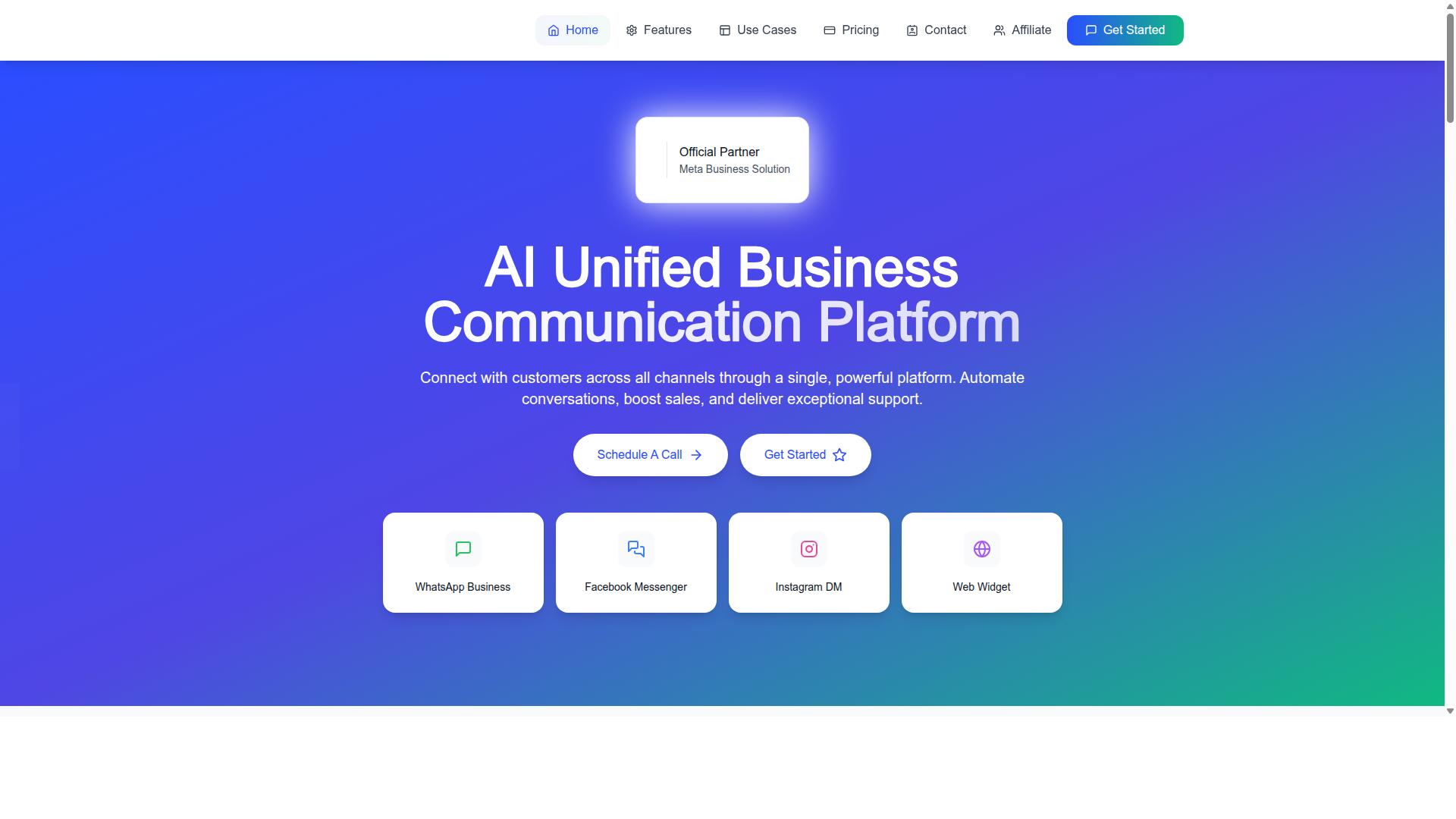
Com.bot provides an AI-powered unified business communication platform that simplifies bulk messaging across WhatsApp, Messenger, and Instagram. For support teams, the appeal is straightforward: one system handles broadcast campaigns, automated replies, and live conversations without juggling separate tools.
The platform is an Official Meta Business Partner with direct WhatsApp Business API integration, which matters for teams sending high volumes of messages. Direct API access supports reliable delivery, two-way messaging, and delivery report visibility rather than the limitations of unofficial workarounds.
Com.bot reports serving 23,000+ active customers and processing 25M+ messages per day. That scale is a useful signal for support leaders evaluating whether a platform can handle peak periods, incident alerts, and large contact lists without degrading performance.
The sections below cover two things buyers ask about most: how the unified inbox and bot builder work day to day, and what the plans cost as a support team grows.
Unified Team Inbox and Multi-Channel Support
Com.bot's unified team inbox lets support agents manage WhatsApp, Messenger, Instagram, and web widget conversations from a single dashboard. Instead of switching between apps, agents see every channel in one queue, which reduces the risk of missed messages and duplicated replies.
Collaboration tools include role-based access and team assignment, so a conversation can be routed to the right agent or group. When a chatbot cannot resolve an issue, the exchange can move to a live agent through an escalation path, keeping the customer in the same thread.
The visual bot builder uses a drag-and-drop interface. Support teams can design automated flows for common requests such as order updates, appointment reminders, and password reset steps without writing code. Smart chatbots handle first-line automated replies, while humans step in for complex ticket resolution.
Because the inbox is omnichannel by design, a contact list built on one channel can inform conversations on another. Fewer handoffs generally mean faster first response time and a lower average handle time, both of which feed into CSAT and NPS scores over time.
For bulk messaging specifically, this structure keeps broadcasts connected to real conversations. A promotional broadcast or proactive support alert does not dead-end; replies land in the same inbox where agents already work, with automation and live support flowing through one system.
Plans and Pricing for Growing Support Teams
Com.bot offers three tiered plans, Silver, Gold, and Platinum, to accommodate support teams of varying sizes and needs. All plans include core features such as WhatsApp Business API access and the unified team inbox, so the choice is mainly about volume and scale.
| Plan | Price | Best Suited For |
|---|---|---|
| Silver | $149 per quarter | Small teams starting structured bulk messaging |
| Gold (Recommended) | $349 per quarter | Growing support teams with steady message volume |
| Platinum V1 | $2500 per quarter | Larger operations needing higher capacity |
Add-ons let teams expand without changing tiers. These include $10 per month for an additional team member, plus the same rate for a social channel, external actions (per 5000), bot triggers (per 25000), and an ecom store.
Dedicated support is billed separately at $49 per hour for WABA, CRM, and Inbox help, and $99 per hour for Ecommerce, Bots, and Automations. WhatsApp messaging itself is charged at actual Meta rates with no markup, which keeps bulk messaging costs predictable as volume grows.
A practical way to choose: Silver suits a small team testing automated replies and light broadcasts, Gold fits most growing teams running regular campaigns alongside daily support, and Platinum V1 is aimed at higher-capacity operations. Because core capabilities appear across tiers, upgrades tend to reflect scale rather than access to basic features.
Common Pitfalls and How to Avoid Them
Even well-intentioned bulk messaging campaigns can fail due to overlooked pitfalls like sending without consent or ignoring rate limits. The good news is that most of these failures are predictable, which means they are also preventable. Below are the mistakes that show up most often in customer support bulk messaging, along with practical fixes for each.
Sending without opt-in consent is the fastest way to damage trust and invite regulatory trouble. Under TCPA compliance and GDPR, recipients must agree to receive messages before you send them. Build consent collection into every signup form, purchase flow, and help desk interaction. Store the timestamp and source of each opt-in so you can prove consent if a complaint arises. When someone opts out, honor it immediately across every channel, not just the one they used to leave.
Ignoring time zones leads to messages that arrive in the middle of the night. A broadcast that feels helpful at 10 a.m. in one region can feel intrusive at 3 a.m. in another. Solutions include:
- Segment your contact list by region and schedule sends during local business hours.
- Apply quiet hours rules that automatically delay messages outside a safe window.
- Test send times on small groups before running a full broadcast.
Over-messaging is another common failure. Sending too many promotional messages in a short period pushes recipients to unsubscribe or block your sender ID. Cap the frequency of promotional messages per contact and keep transactional messages, such as order updates, appointment reminders, or verification codes, separate from marketing sends. Let customers choose how often they hear from you, and respect those preferences in your CRM integration.
Using unapproved templates creates delivery and compliance problems. Many channels, including WhatsApp Business API, require pre-approved message templates for outbound notifications. Submitting templates that are vague or overly promotional often leads to rejection. Write templates that clearly state the purpose, include the customer's name where possible, and avoid misleading language. Test each template on a small internal group before pushing it live.
Not monitoring delivery reports means you miss early warning signs. A rising failure rate can indicate a blocked sender ID, an expired contact list, or a formatting error. Review delivery reports after every broadcast and set up alerts for unusual spikes in undelivered messages. Pair this with two-way messaging so replies and automated replies flow back into your help desk rather than disappearing into a void.
Compliance and testing should sit at the center of every bulk messaging process. Run small pilot sends before large broadcasts, keep an audit trail of opt-in consent, and document your escalation path when a recipient complains. These habits reduce risk and improve first response time and CSAT over time.
As a final tip, consider a platform that helps automate compliance checks and rate limiting. Tools in this category can enforce quiet hours, manage opt-in and opt-out records, and throttle sends so your SMS gateway is not overwhelmed. The goal is to let your support team focus on ticket resolution while the system handles the guardrails that keep your bulk messaging safe and effective.